Type a reg, get the whole story
Look a vehicle up by registration and Pistonlog fills in the details. Every customer, every car and every job they have ever had sits in one place you can search.
How Pistonlog stores customers and vehicles
Pistonlog keeps one record for each customer and one for each vehicle, linked together by the jobs between them. Typing a registration pulls the vehicle details in automatically, so you are not keying make, model and engine size by hand. From either record you can see every previous visit, what was done, what was advised and what is due next.
Compare plans and message credit costs- No more re-keying
- A registration is enough. The make, model and details arrive with it.
- History that answers questions
- When a customer asks what you did last time, the answer takes a second, not a rummage through a drawer.
- Work you can win back
- Advisories from previous visits stay on the record, so the next booking has something to talk about.
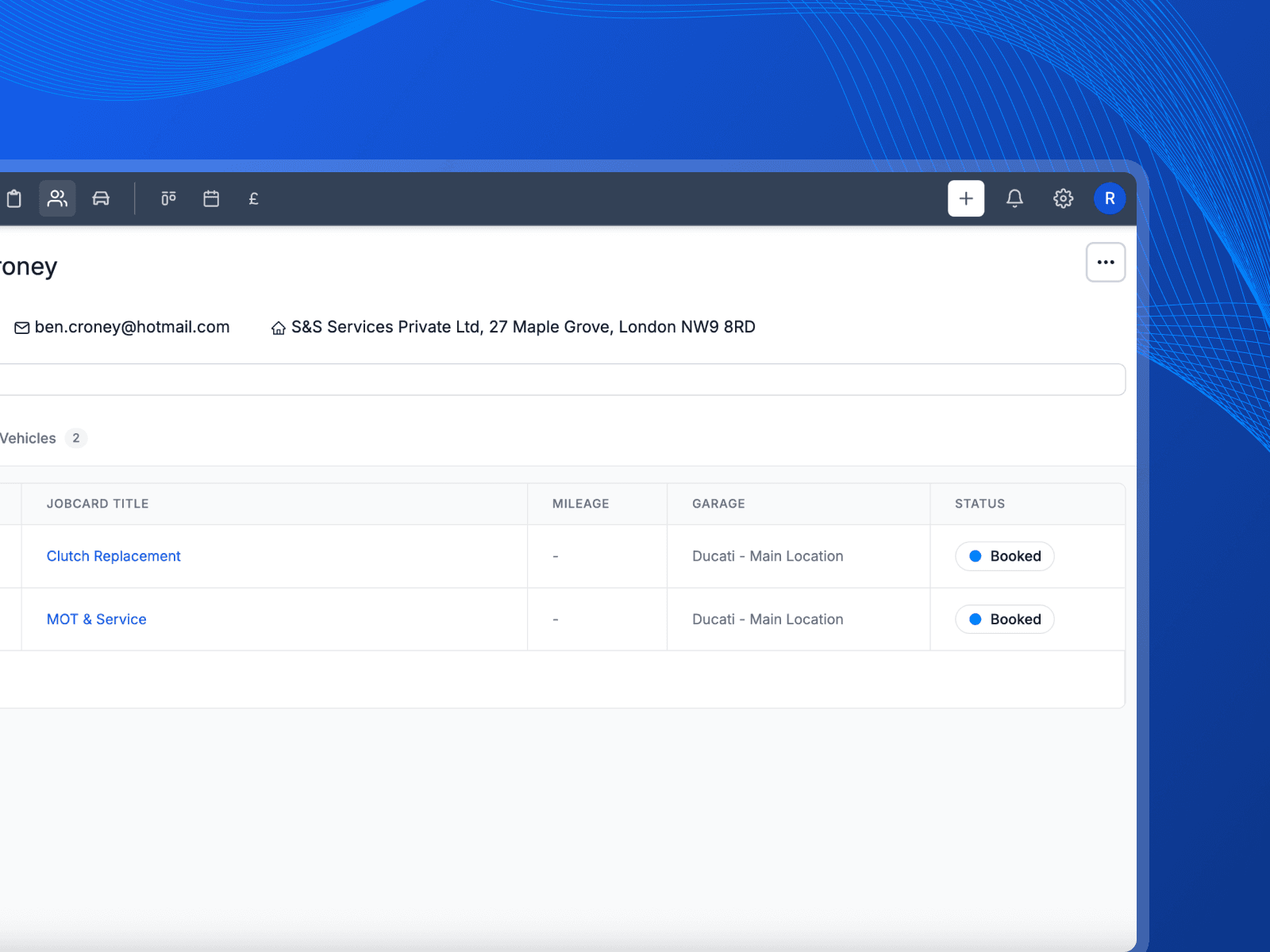
Looking up a registration and working through a customer record.
How records come together
One customer, their vehicles, and everything you have ever done to them.
Start with the registration
Type the reg and the vehicle details come back on their own. Make, model, fuel, engine size and key dates, without anyone reading them off a logbook.
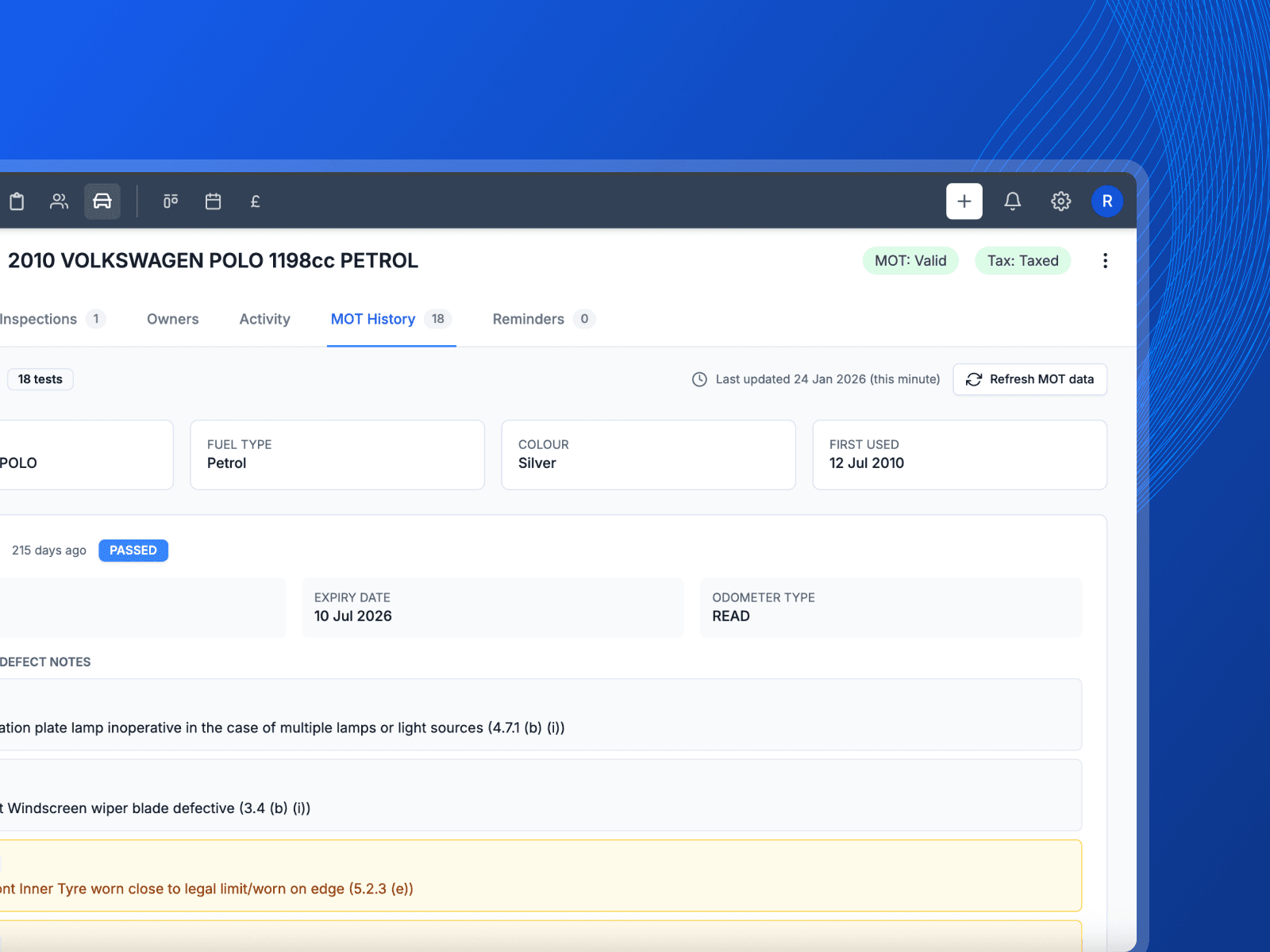
One record per customer
Contact details, the vehicles they own and every job they have had, all on one page. Add a second car to the same customer instead of creating a duplicate.
Full history on every vehicle
Every visit, every inspection and every invoice attached to that car. Mileage and key dates are tracked as the vehicle comes back in.
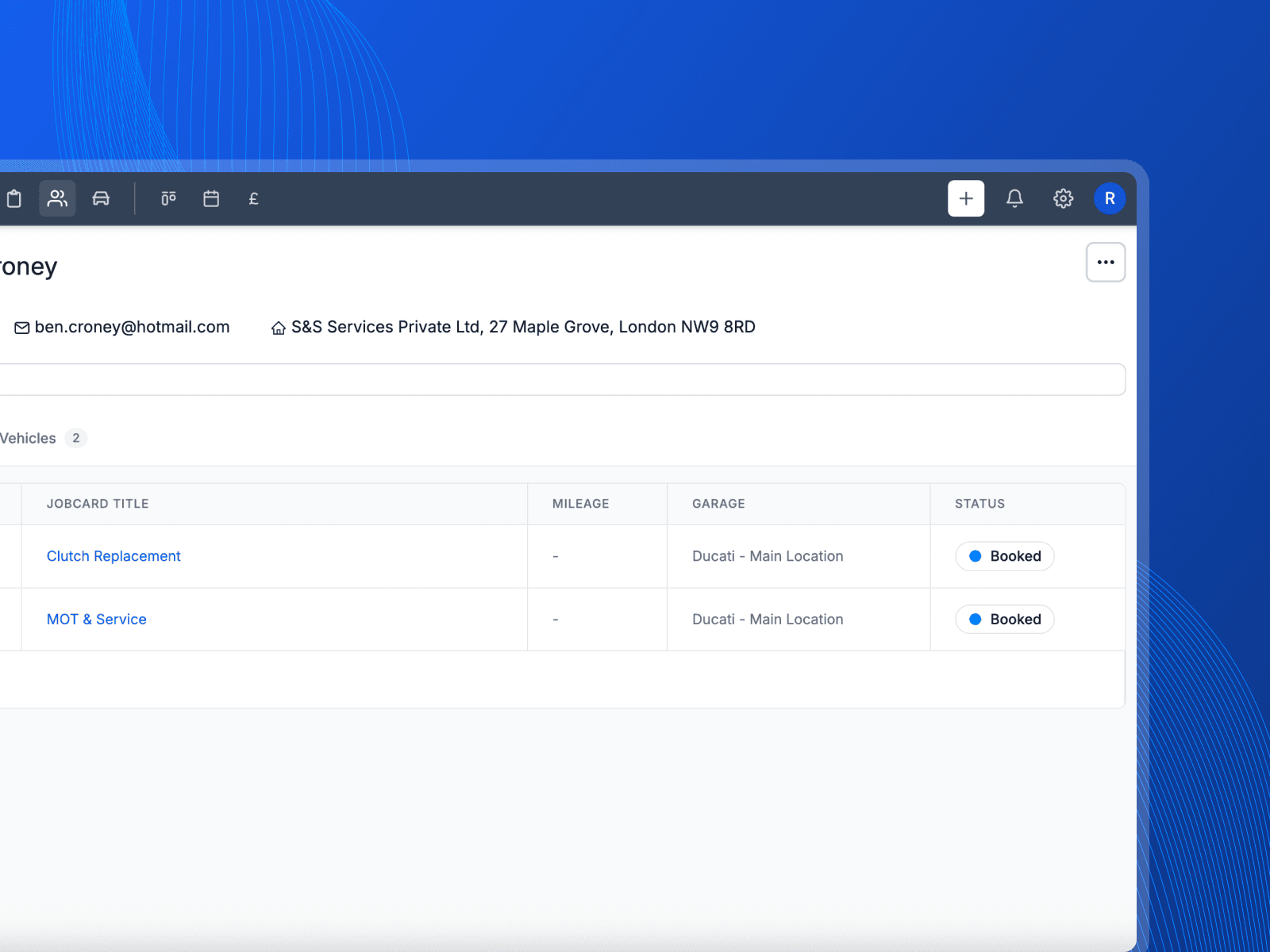
Search across everything
One search box finds customers, vehicles and jobs. Type part of a name or a reg and go straight to the record from anywhere in the app.
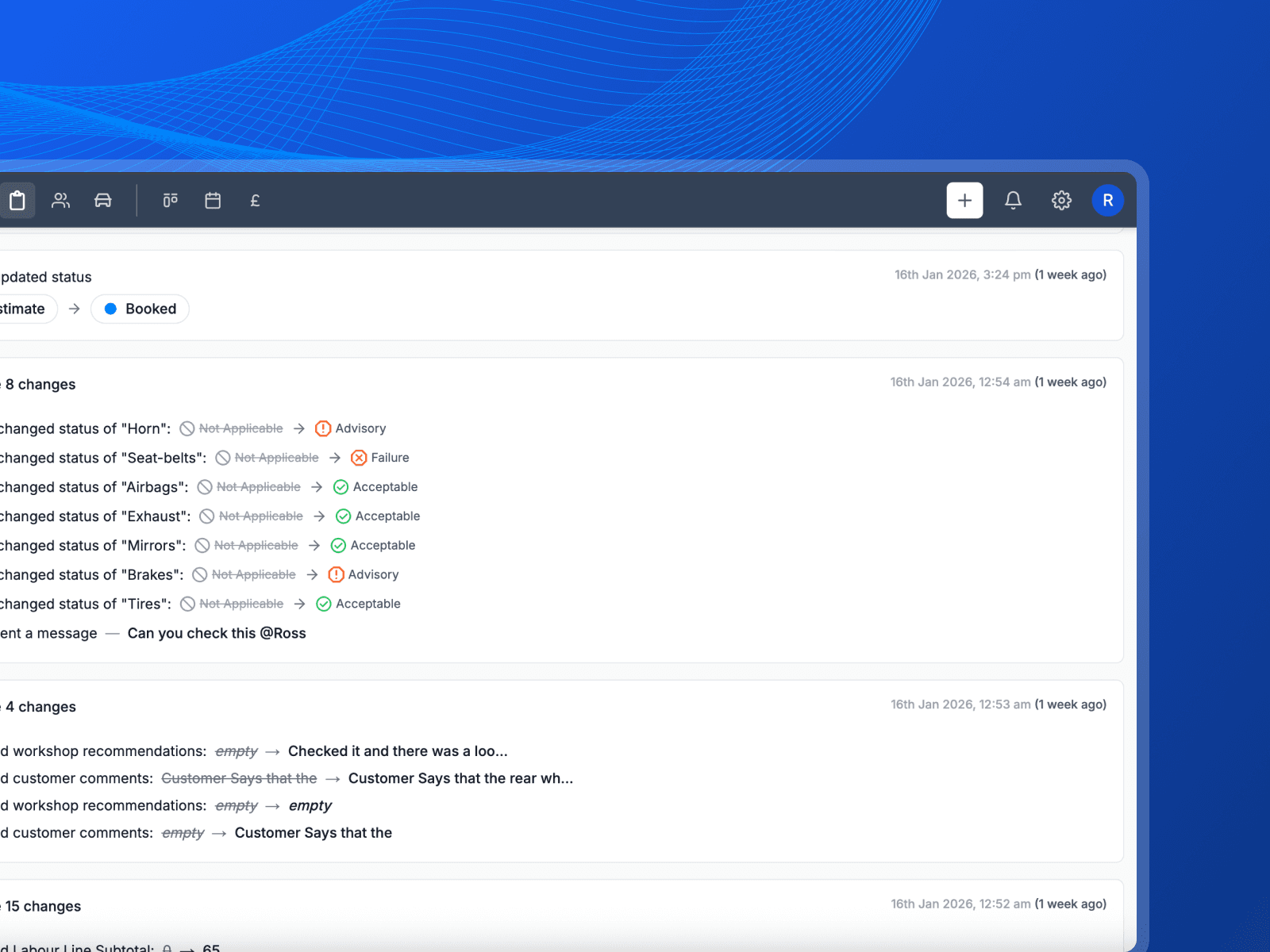
Know the car before it is on the ramp
Half the job is remembering what you did last time. Here is what changes when every car brings its own history with it.
- The whole history in seconds
- Type the reg and there it is. What you did, what you fitted, what you advised and never got the go ahead on.
- You know what is due next
- The advisory you noted in March is still sitting there in October. That is work you have already found and already priced.
- One record per vehicle
- No box file, no folder on the office PC, no ringing round to ask who did it last. Every job that car has had is on the one screen.
What you get with customer and vehicle records
The detail behind the feature, without the sales talk.
Lookup by registration
Vehicle details arrive from the reg, so a new car takes seconds to add.
Customers with several vehicles
Keep a family or a small fleet under one customer rather than four half-filled records.
Service history
Every job, inspection and invoice stays attached to the vehicle for as long as you keep it.
Search from anywhere
One search box across customers, vehicles and jobs, reachable from any screen.
MOT and service dates
Key dates sit on the vehicle so the right reminder goes out at the right time.
Notes that stay put
Anything worth remembering about a car or an owner stays on the record for the next person.
Works with
These are the parts of Pistonlog this one works closest with.
Practical workshop guides
Customers & Vehicles questions
The things garage owners ask before they switch.
Can Pistonlog look up a vehicle by registration?
Can one customer have more than one vehicle?
Where is a vehicle's service history kept?
Can I move my existing customers into Pistonlog?
See it working in your own garage
Set up an account and try it on a real job. No long contract, and you can cancel whenever you like.