Every job on one board, from booking to collection
Open a jobcard, add the work, hand it to a technician and watch it move across the board. No whiteboard, no lost paper, no walking round the workshop asking where a car is up to.
How job cards work in Pistonlog
A jobcard in Pistonlog is the record of one visit by one vehicle. It holds the customer, the vehicle, the work being done, the parts, the labour hours and the notes from the team. Jobcards sit on a drag and drop board that shows the status of every car in the workshop, so anyone can see what is booked in, what is being worked on and what is ready for collection.
Compare plans and message credit costs- One glance, whole workshop
- The board shows every car and where it is up to, so nobody has to ask.
- The story stays with the job
- Notes, photos and team messages live on the jobcard instead of in someone's head.
- Nothing goes unbilled
- Parts and labour go on as the work happens, so the invoice matches what was actually done.
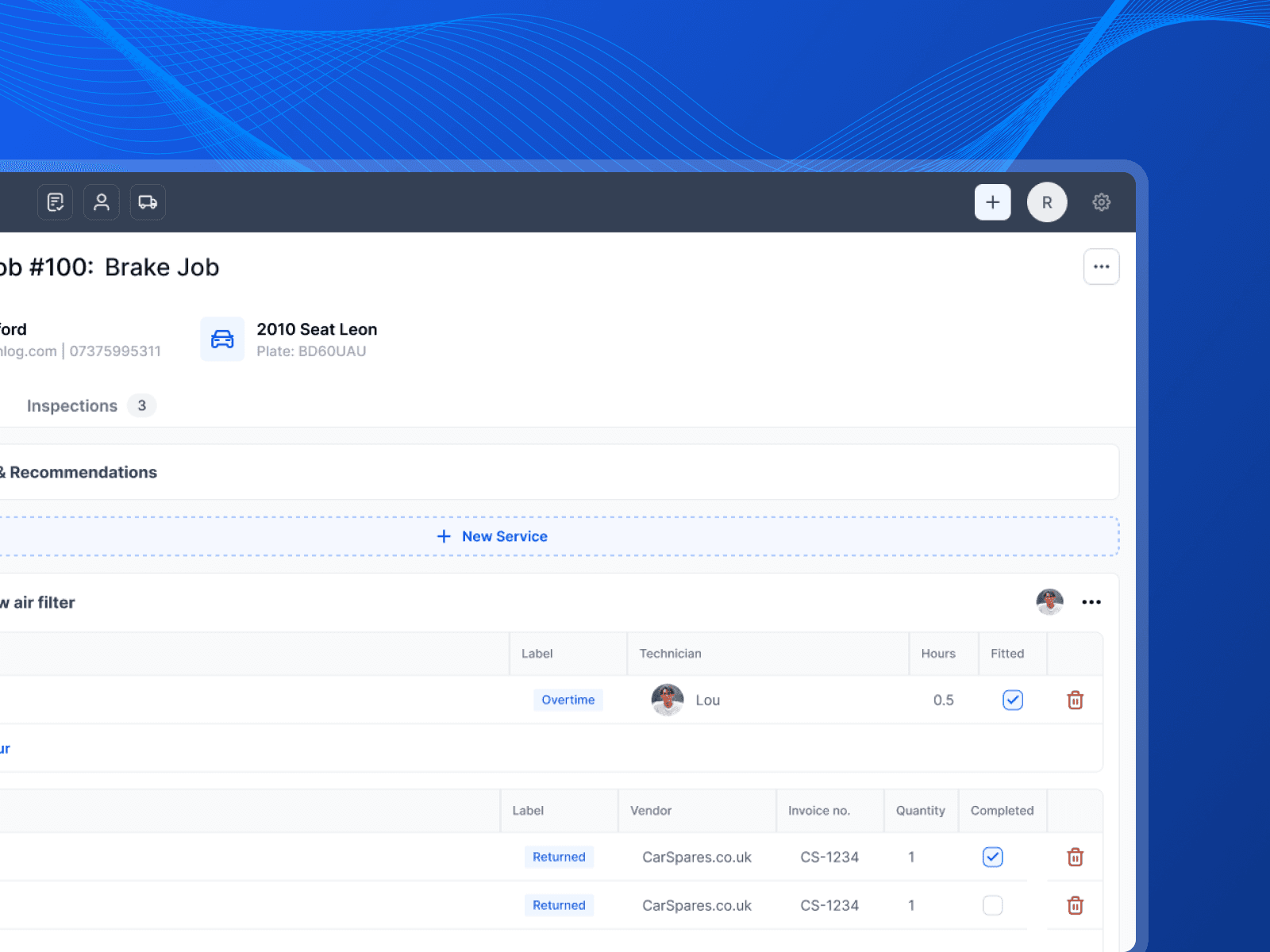
Opening a jobcard, adding work and moving it across the board.
How work moves through the workshop
From the phone ringing to the keys going back over the counter.
Open the job in seconds
Type the reg and the vehicle details fill themselves in. Pick the customer, add the work, set the date it is booked in for. The job is on the board before the customer has finished on the phone.
Everything about the job in one place
Work, parts, labour hours, notes, photos and messages between the team all sit on the jobcard. When someone picks the job up two days later, the full story is right there.
Drag it across the board
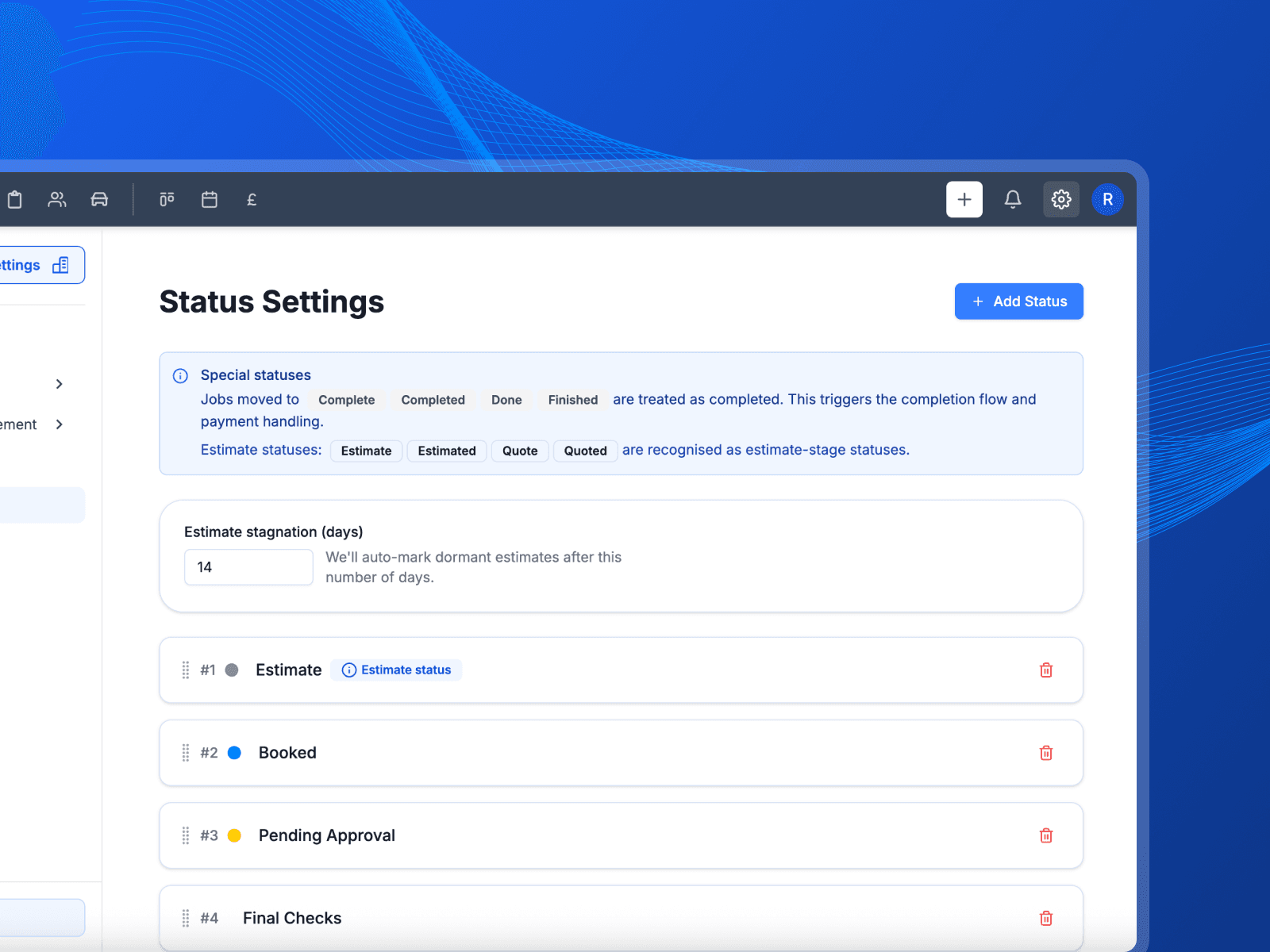
Move the card as the work moves. Booked in, in progress, waiting on parts, ready. Set the columns to match how your garage actually runs rather than bending to someone else's process.
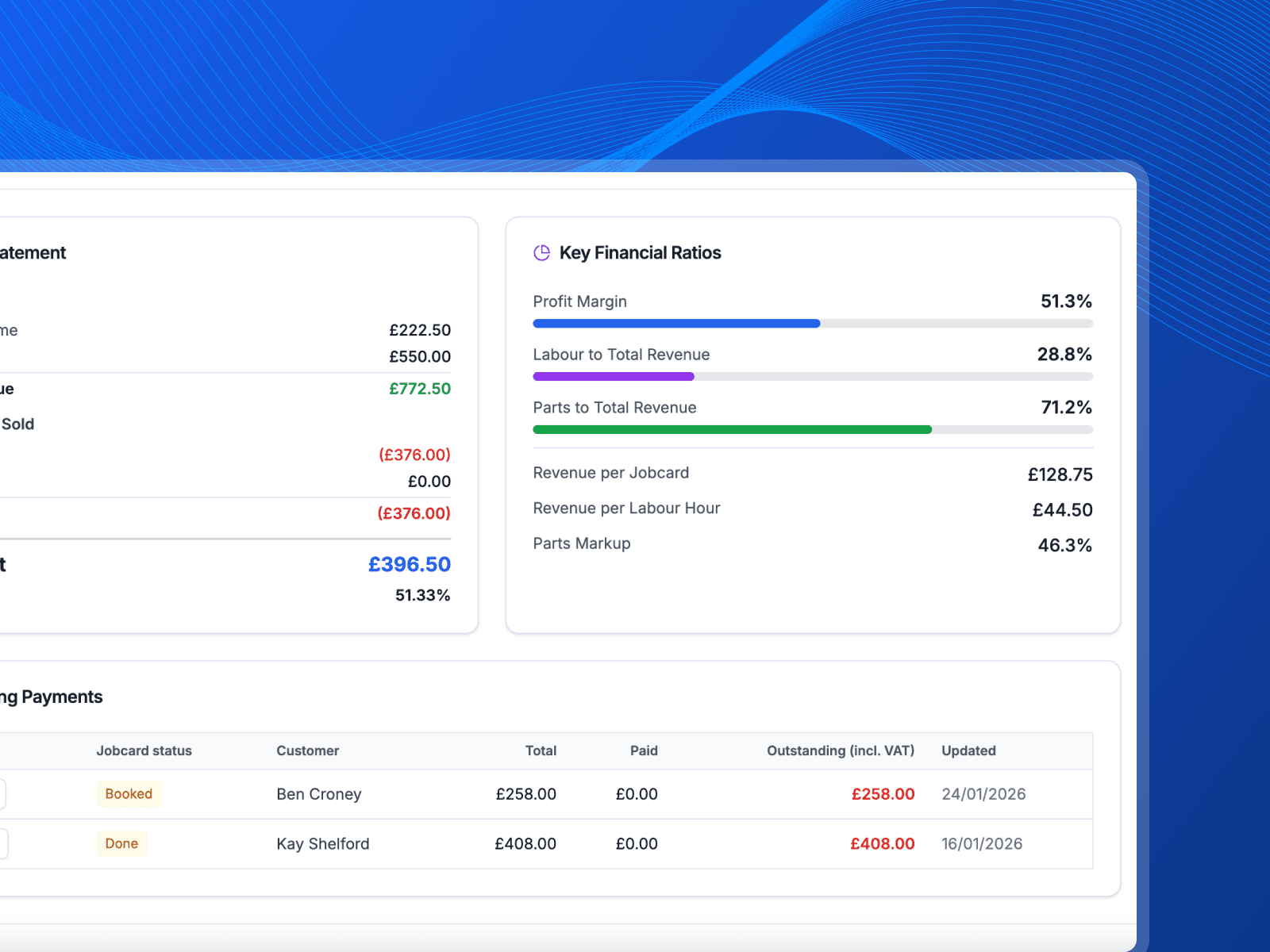
Finish the job and invoice it
When the work is done, the invoice is built from the jobcard rather than typed out again. What was fitted and what was charged always agree.
The board pays for itself in walked miles
You should not have to cross the workshop to find out where a job is up to. Here is what changes when the whole day is on one screen.
- Everyone knows what is next
- No shouting across the ramp to ask if the Golf is done. The board says where every job is, and it is right, because the person doing the work is the one who moved it.
- The booking becomes the invoice
- The details you take on the phone carry all the way through to the bill. Nothing gets typed out a second time, so nothing gets typed out wrong.
- More cars through the week
- When you can see the whole day at a glance you stop leaving dead time on the ramp. That is another job most afternoons.
What you get with job cards
The detail behind the feature, without the sales talk.
Drag and drop board
Move a job to a new status by dragging the card. The whole team sees it straight away.
Assign technicians
Give each job an owner so every technician knows what is theirs today.
Labour hours on the job
Log hours against the work as it happens so you bill what you actually spent.
Messages on the jobcard
Keep the chat about a car attached to the car instead of buried in a group chat.
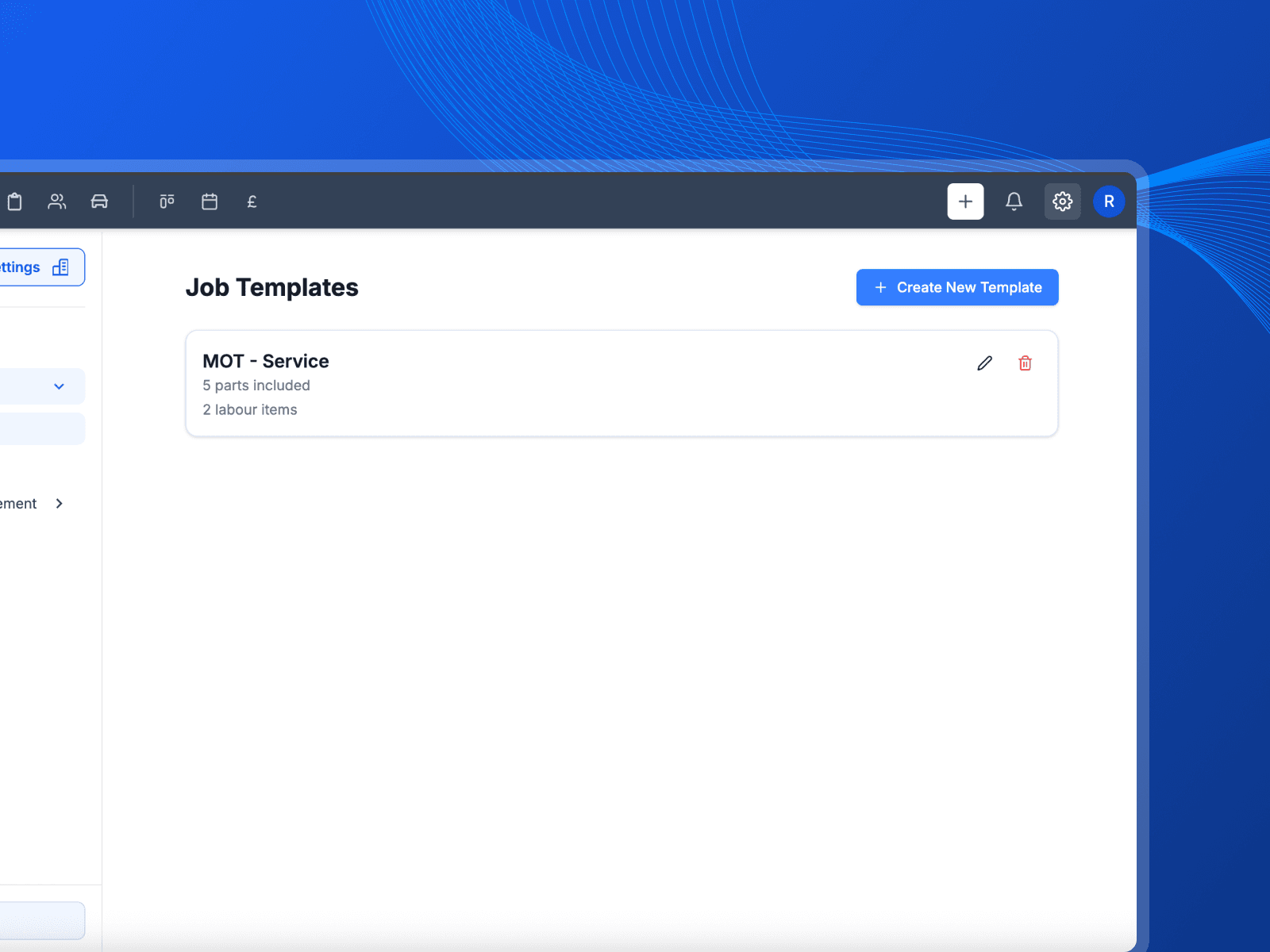
Saved jobs
Save the jobs you do every week and drop them onto a card with the parts and labour already set.
Workshop copy to print
Print a job sheet for the floor with the vehicle and the work on it, and no customer details.
Works with
These are the parts of Pistonlog this one works closest with.
Job Cards & Workflow questions
The things garage owners ask before they switch.
What is a job card in garage software?
Can I change the columns on the job board?
Can technicians see the job without seeing customer details?
Does the invoice come from the job card?
See it working in your own garage
Set up an account and try it on a real job. No long contract, and you can cancel whenever you like.