Digital vehicle inspections your customers trust
Build your own check sheets, fill them in at the vehicle, and send the customer a report with photos and video. Extra work gets approved because they can see the problem for themselves.
How digital vehicle inspections work in Pistonlog
A digital vehicle inspection in Pistonlog is a check sheet your garage builds once and fills in on a phone or tablet at the car. Technicians record tyre depths, take photos and video, and mark each item as passed, advisory or failed. Anything that fails turns into recommended work on the jobcard, and the customer gets a link to the full report so they can approve the extra work from their phone.
Compare plans and message credit costs- Show, do not tell
- Photos and video of the actual fault sit next to the advisory, so nobody has to take your word for it.
- Nothing gets missed
- The same checks run every time, so a rushed morning does not turn into a comeback next week.
- Approval without the phone call
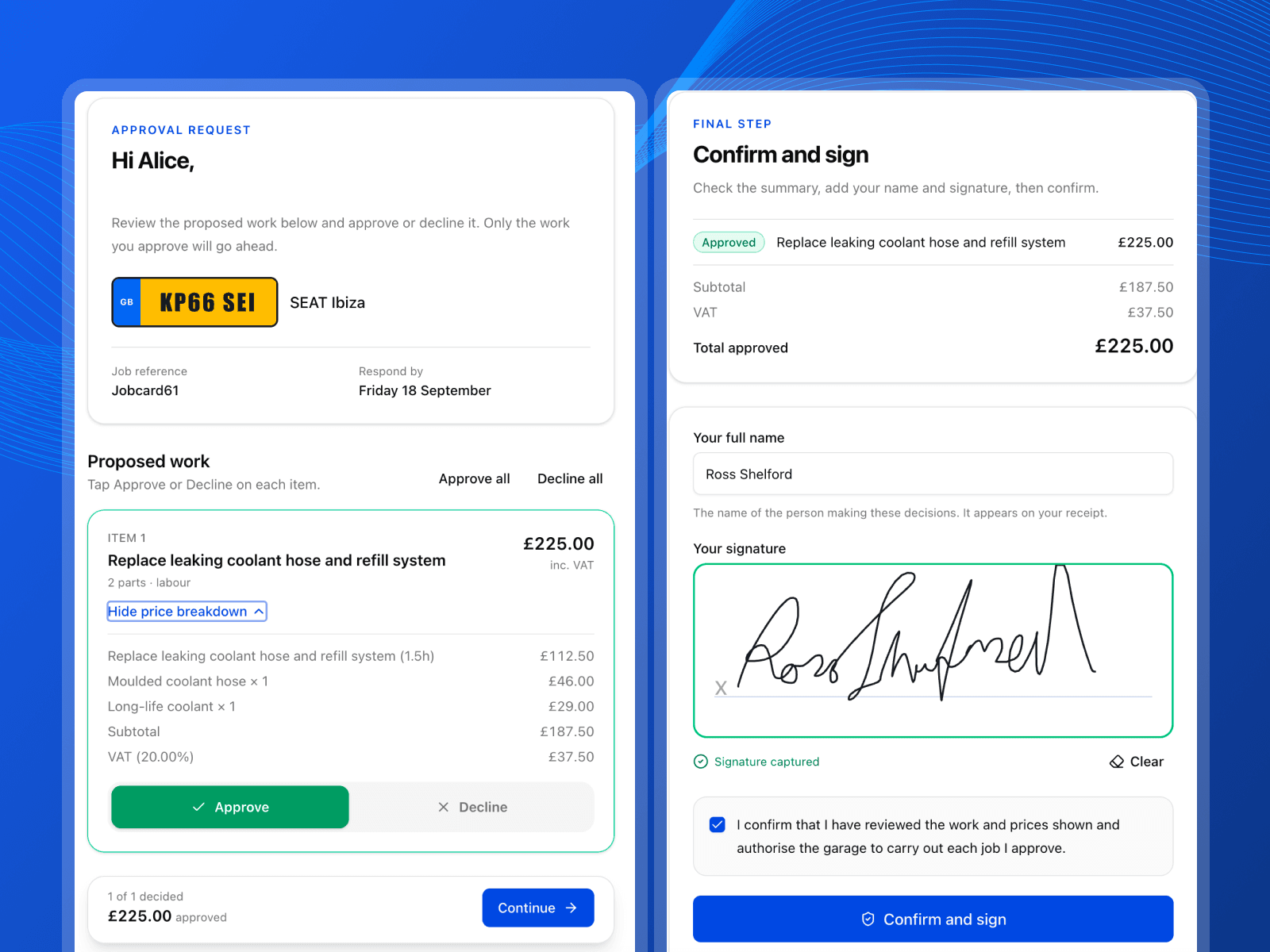
- The customer opens the report, reads it, and says yes to the work while you carry on with the next job.
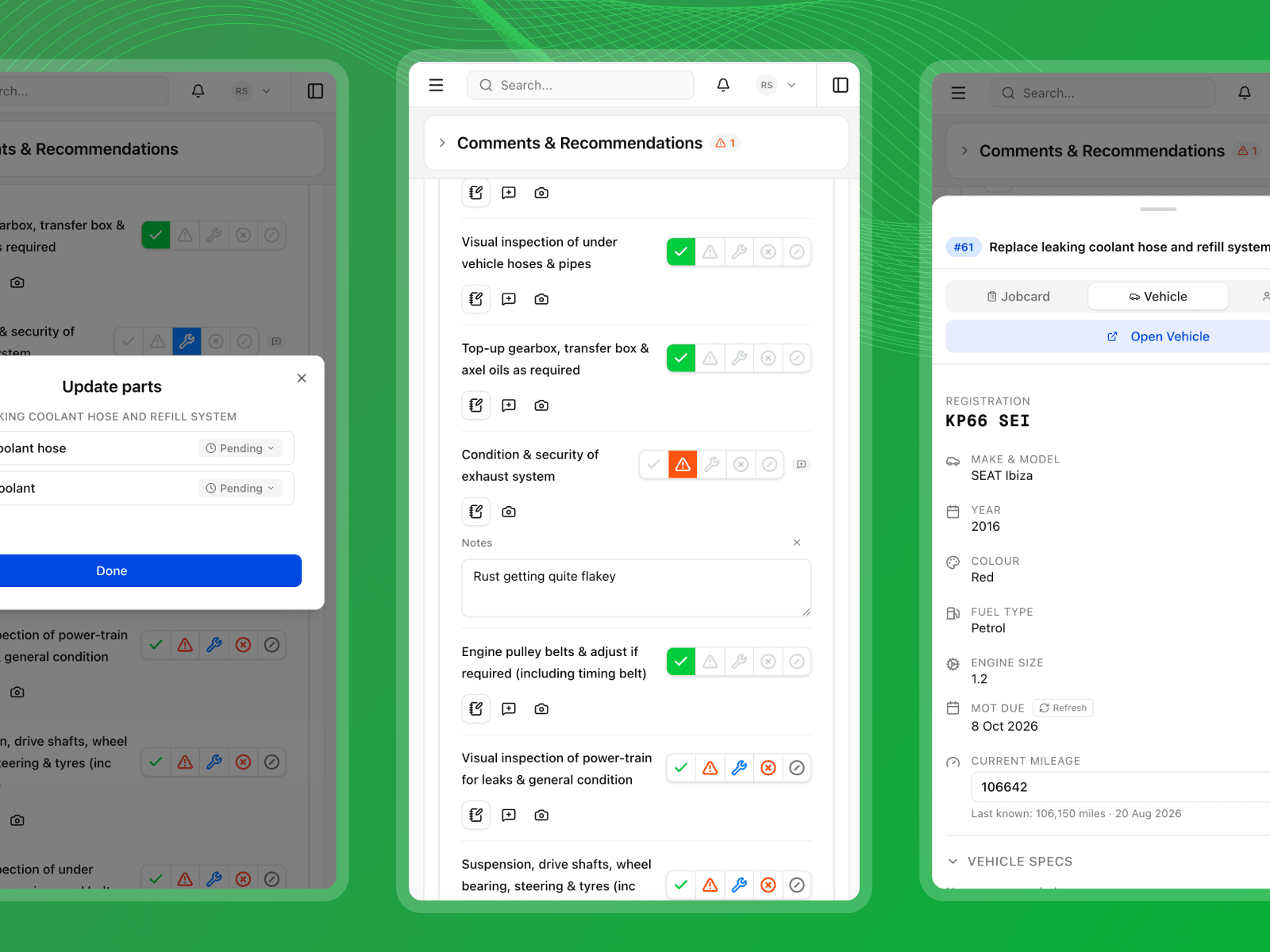
A full walkthrough of a Pistonlog inspection, from blank template to approved work.
How an inspection runs, start to finish
Five steps, from an empty template to work signed off by the customer.
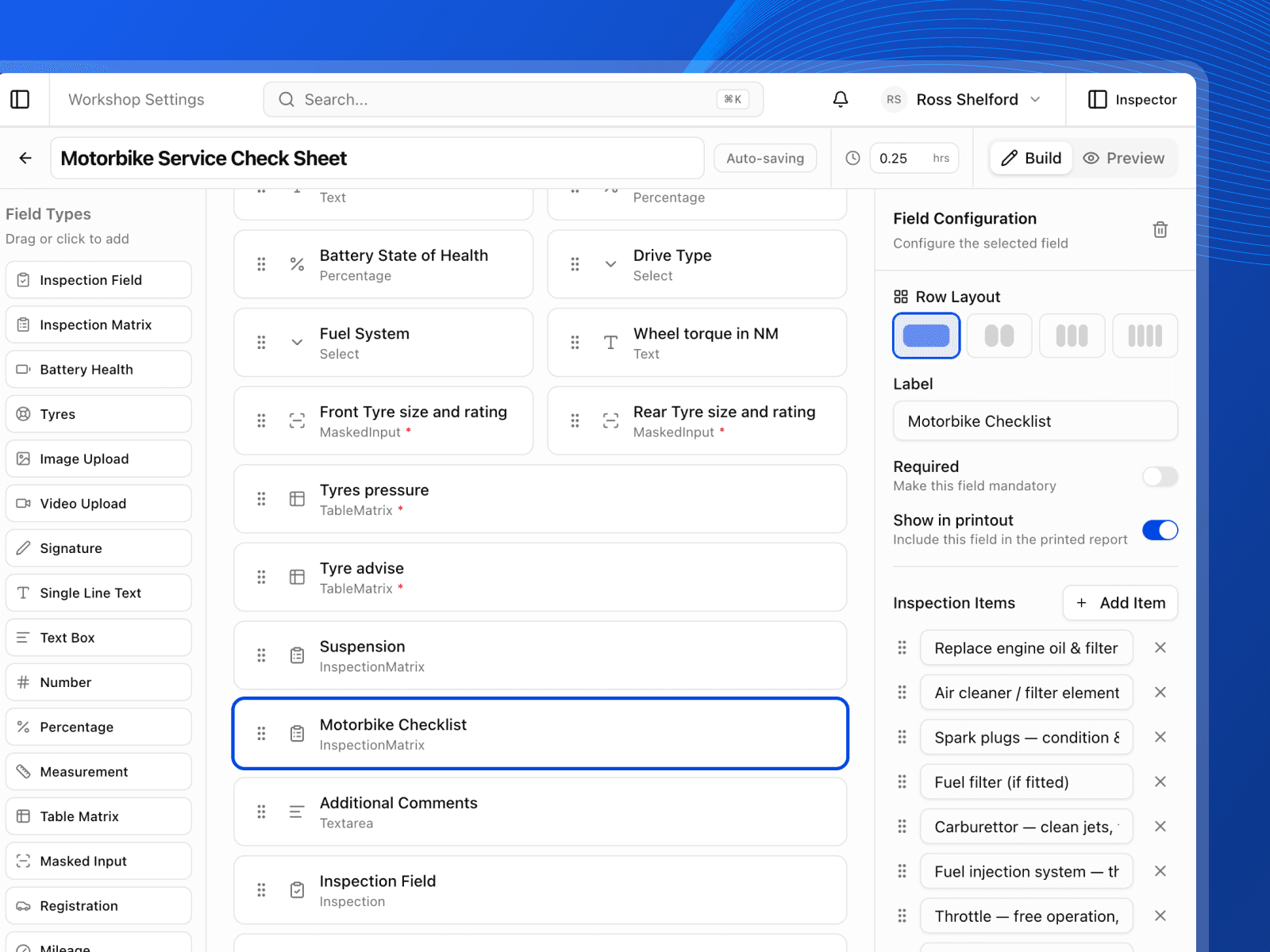
Build the check sheet once
Make a template for the checks your garage actually does. Add tyres, brakes, fluids, lights, whatever you want, and group them into sections. Save it and every technician uses the same sheet from then on.
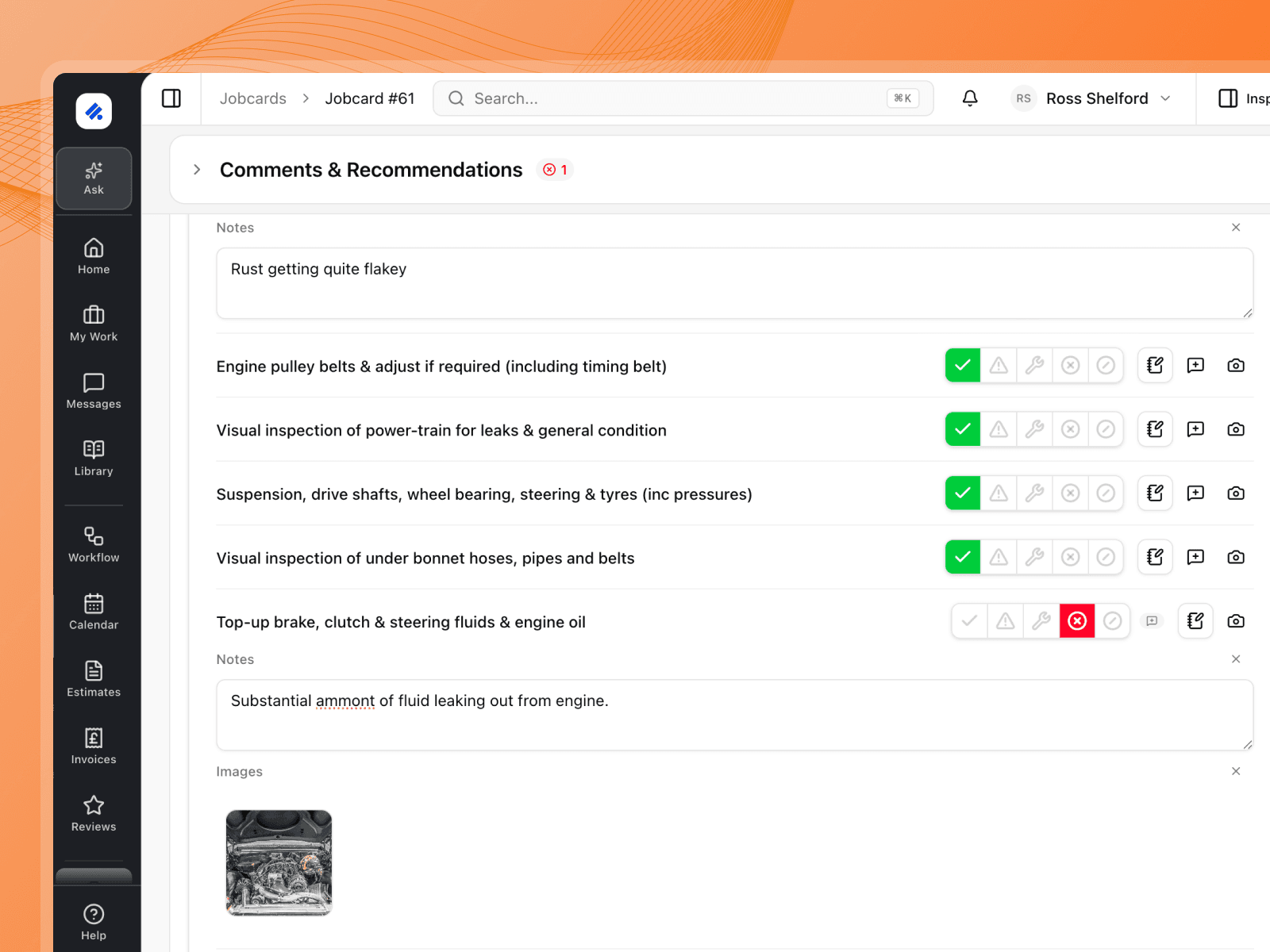
Fill it in at the vehicle
Work through the sheet on a phone or tablet with the car in front of you. Type tread depths, tick items off, add a note, and take photos or a short video of anything you want the customer to see.
Faults become recommended work
Mark something as an advisory or a failure and it lands on the jobcard as recommended work on its own. No copying items across by hand, and nothing quietly falls off the list.
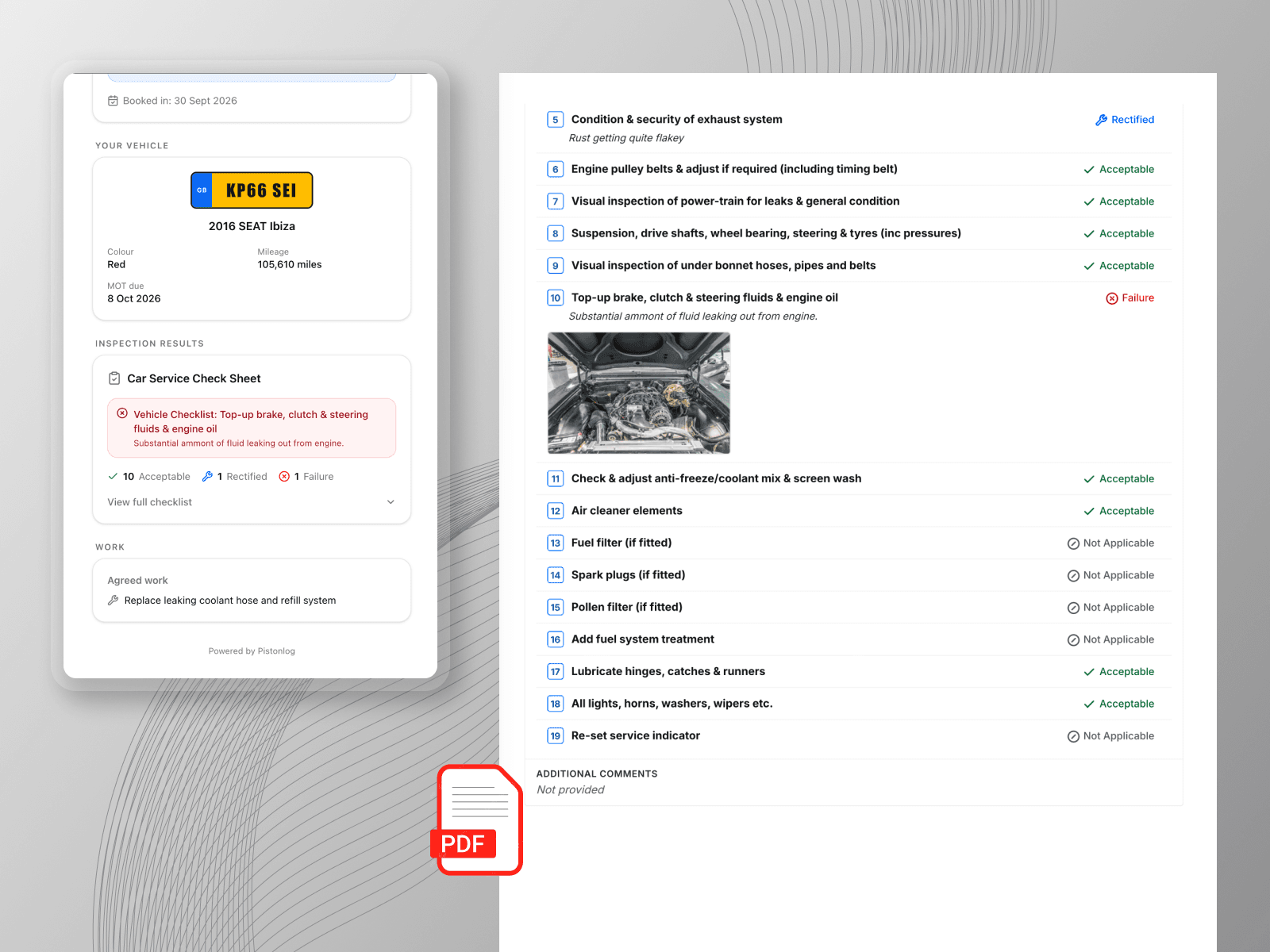
Send the report to the customer
Send a link the customer opens on their phone. They see the checks, the photos, the video and what you have recommended, laid out so a normal person can follow it.
Approved work flows into the job
Whatever they say yes to comes back onto the jobcard, ready to price and book in. The technician sees the extra work without anyone walking across the workshop to tell them.
Build any sheet you want
Mix status buttons, tread depths, readings, photos, video and signatures. Any order, as many as you need, no limits.
Front brake pads & discs
Status field
Oil type & grade
Text field
Tyre tread depth
NSF
6.2
mm
OSF
5.8
mm
NSR
2.9
mm
OSR
1.4
mm
Tyres field
Walkaround video
Video field
MOT due date
Date field
Service checklist
Checklist field
Mileage
Mileage field
Battery state of health
Battery field
Customer signature
Signature field
Wiper condition
Dropdown field
Vehicle lookup
2010 SEAT Leon · 1.6 petrol
Reg lookup field
Photos of the fault
Photo field
Brake fluid moisture
Percentage field
Brake disc thickness
Measurement field
Locking wheel nut in car
Yes / no field
Technician notes
Notes field
Show don't tell, and the work sells itself
You spotted the worn disc in ten seconds. Getting the customer to believe you is the hard part. Here is what changes when they can see it for themselves.
- Work gets approved
- You know the pads are gone. A photo of them makes the case better than you ever could, so the customer stops wondering if you are trying it on.
- They come back next year
- Nobody enjoys being told their car needs another four hundred quid of work. Show them why and it stops feeling like a sales pitch.
- Bigger jobs off the same booking
- The car is already on the ramp and the customer is already there. A full sheet turns an oil change into the drop link and the wipers as well, and they can see why each one is on the list.
What you get with inspections
The detail behind the feature, without the sales talk.
Your own templates
Build as many check sheets as you need. A service check, an MOT prep, a used car appraisal, all separate.
Tyre readings built in
Record tread depth per tyre. Anything under the legal limit is flagged as a failure on its own.
Photos on any item
Attach pictures to a single check so the customer sees the exact part you are talking about.
Video walkarounds
Record a short clip under the car and attach it to the report. Nothing explains a leak faster.
Works on a phone
The whole sheet is built for a phone or tablet on the workshop floor, not a desk.
A report you can print
Print or save the finished inspection for the customer file, with your garage branding on it.
Works with
These are the parts of Pistonlog this one works closest with.
Digital Vehicle Inspections questions
The things garage owners ask before they switch.
What is a digital vehicle inspection?
Can I build my own inspection templates?
Do customers need an app to see the report?
Does the inspection add work to the jobcard?
See it working in your own garage
Set up an account and try it on a real job. No long contract, and you can cancel whenever you like.