Turn solved faults into your garage's private knowledge
Record the symptoms, tests, root cause and repair while the job is fresh, then search your company's library when a similar vehicle comes back. Diagnostic Library is included with the Pro plan.
How the Diagnostic Library works in Pistonlog
Pistonlog Diagnostic Library is a private, company-wide record of diagnostic cases. Your team can save a vehicle's symptoms, fault codes, test evidence, confirmed root cause, repair actions and verification, then search those cases by fault code, engine, vehicle or fault. It is included with the Pro plan, and private cases are not shared with other companies.
Compare plans and message credit costs- Find the last fix
- Search by fault code, engine, vehicle or symptom instead of relying on who remembers the job.
- Keep the proof with the repair
- Save the tests, confirmed cause, work carried out and final verification as one useful case.
- Private to your company
- Your diagnostic cases stay inside your company and follow the access set for each team role.
Build knowledge as the work happens
Three steps from a difficult fault to something the whole garage can use next time.
Record the case while it is fresh
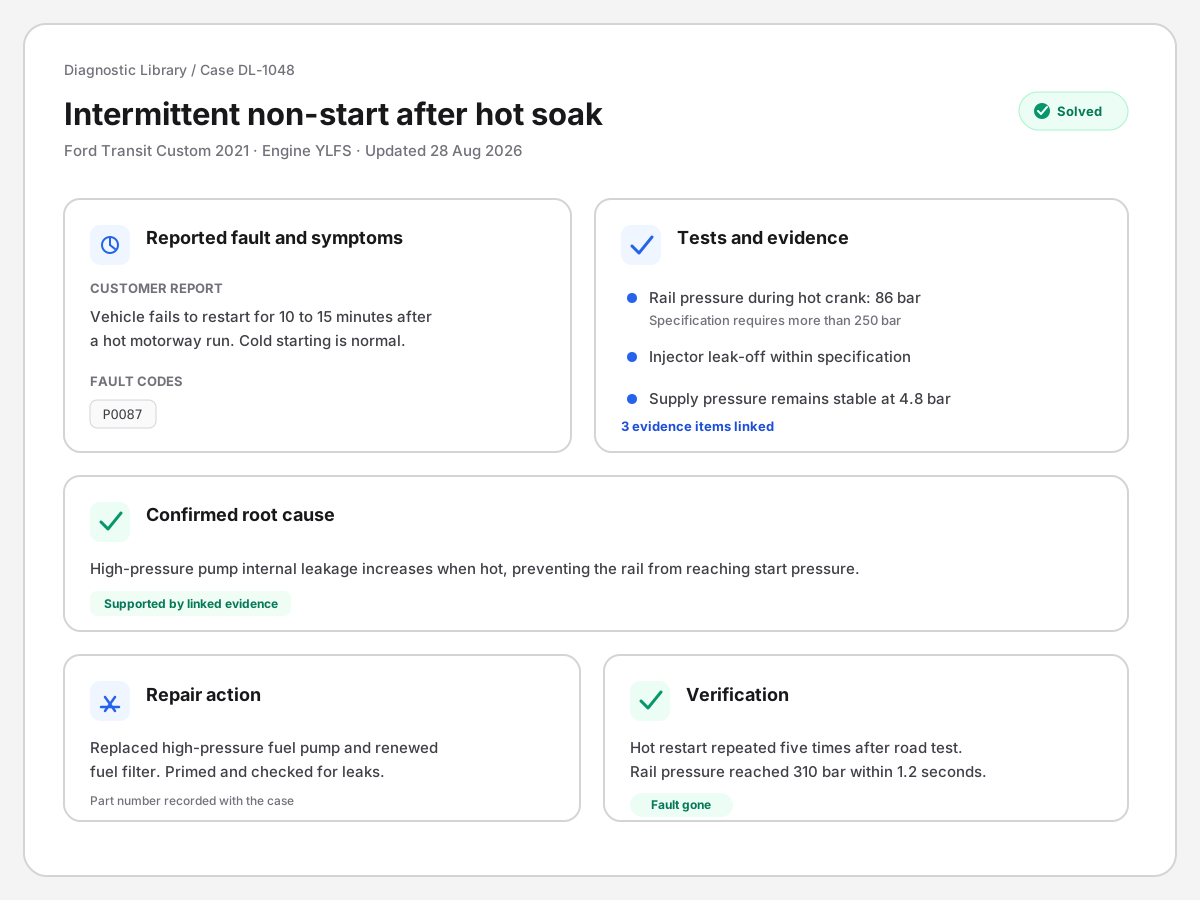
Start from a stored vehicle or enter the vehicle details manually. Add the reported fault, symptoms, codes, observations and the tests you carried out, without waiting until the end of the job to reconstruct it.
Close the loop with evidence
Record the confirmed root cause, link the evidence that proves it, list the repair actions and note how the original fault was checked after the work. The case becomes a useful answer, not just another fault-code note.
Search it when the fault comes back
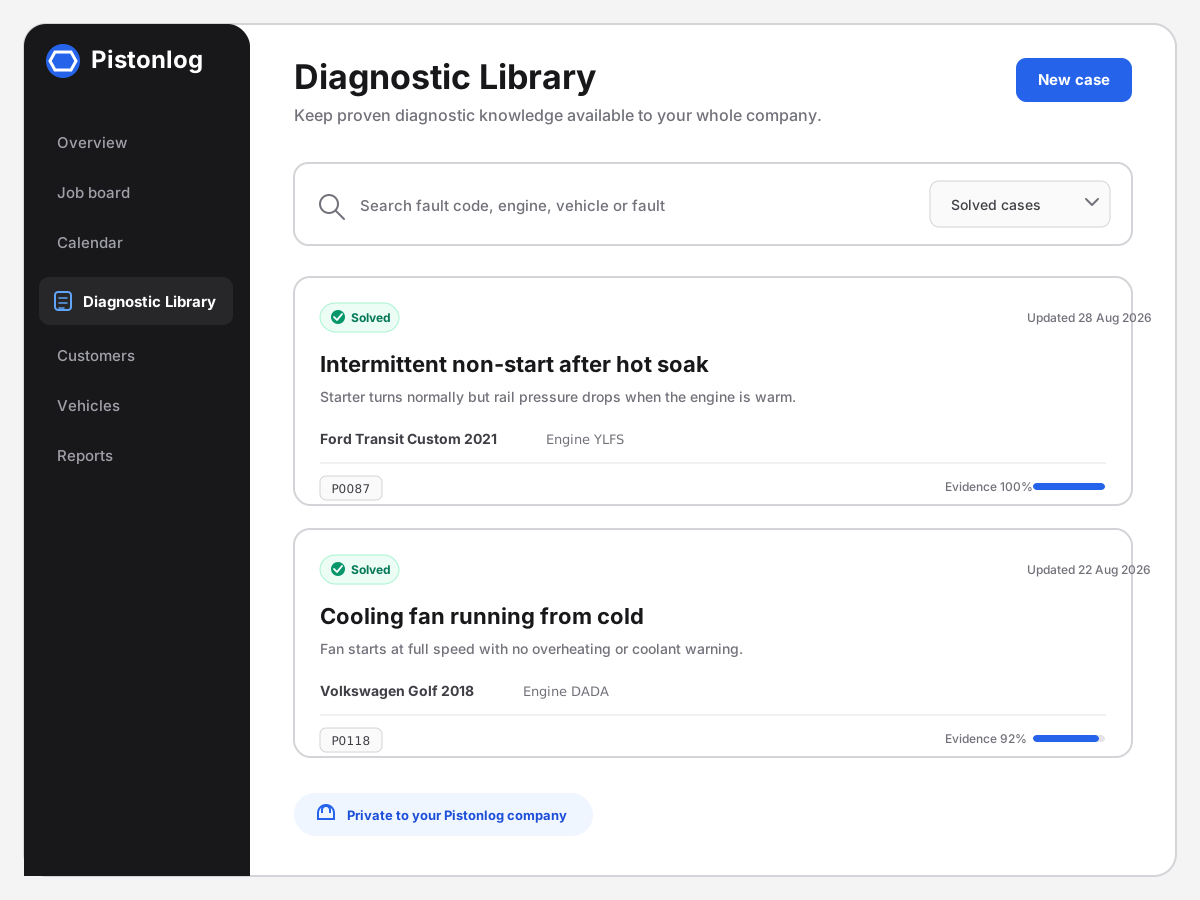
Search the company's cases by fault code, engine, vehicle or a description of the fault. Filter active, solved and archived work, then open the complete case to see what was tested and what fixed it.
What you get with Diagnostic Library
The detail behind the feature, without the sales talk.
Private case search
Search your company's records by fault code, engine, vehicle or fault description.
Vehicle context
Link a stored vehicle or record the make, model, engine and other useful details manually.
Tests and evidence
Keep observations, measurements, tests, photos and supporting evidence with the case.
Cause and repair
Record the confirmed cause, repair actions, parts used and how the fix was verified.
Case status
Keep drafts, investigations, solved cases and archived work organised and easy to revisit.
Role-based access
Owners and managers control who can view, create or edit the company's diagnostic cases.
Works with
These are the parts of Pistonlog this one works closest with.
Practical workshop guides
Diagnostic Library questions
The things garage owners ask before they switch.
Is Diagnostic Library included with every Pistonlog plan?
Can garages outside my company see my diagnostic cases?
What can I search for in the Diagnostic Library?
What information can a diagnostic case hold?
See it working in your own garage
Set up an account and try it on a real job. No long contract, and you can cancel whenever you like.